MASHUP: MINECRAFT NOW RUNS INSIDE HALF-LIFE 1, WITH BLOCKS ON THE ORIGINAL BLACK MESA MAPS
Minecraft x Half-Life: place blocks and use Minecraft's inventory on the original Black Mesa maps
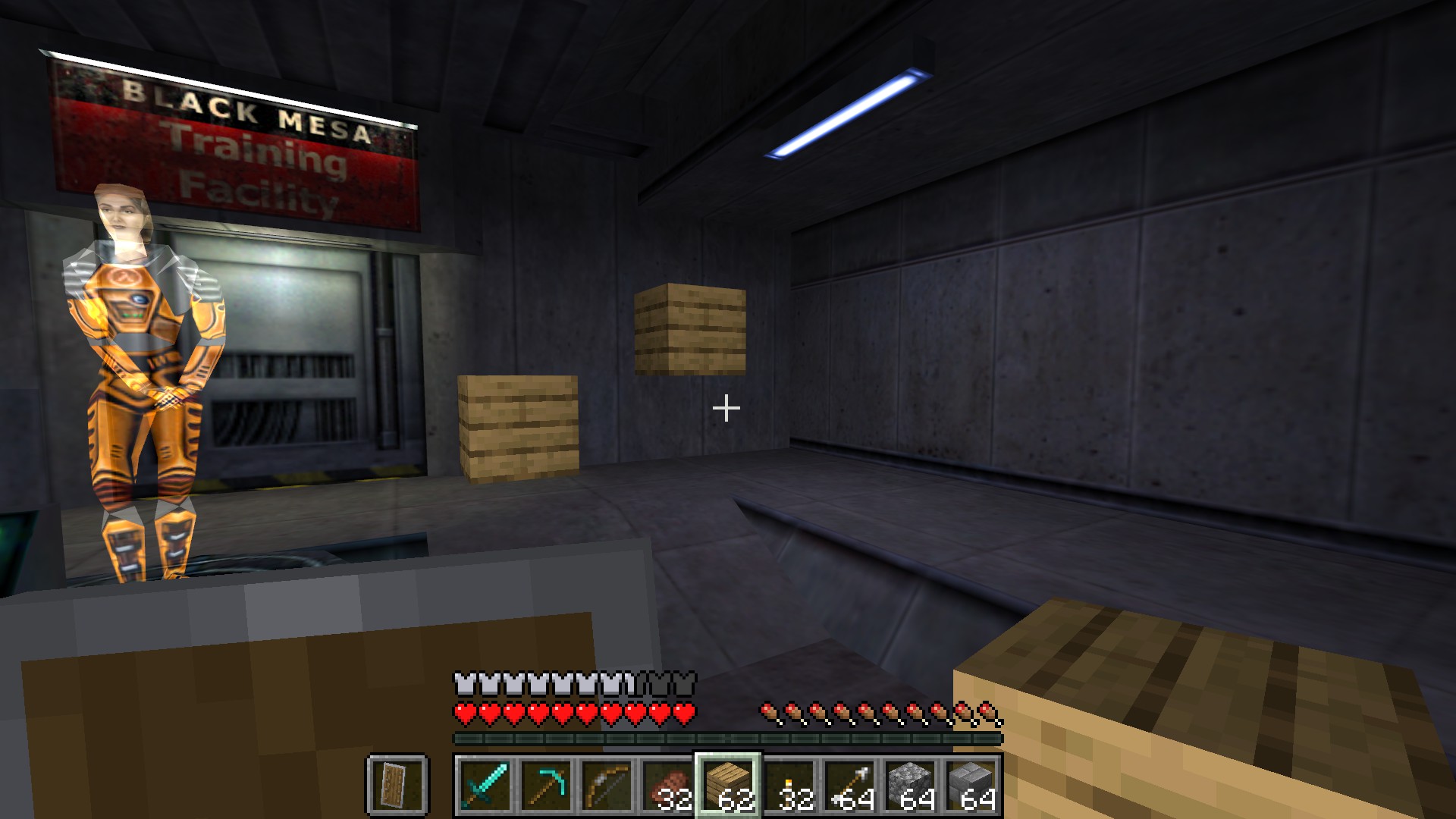
Minecraft x Half-Life, by lqnderk, joins two games: you explore Half-Life 1's original maps, place Minecraft blocks in Black Mesa's corridors, and use Minecraft's tools and inventory there. Half-Life draws the maps alongside Minecraft's blocks, mobs and interface, while Minecraft Java runs hidden in the background and handles movement, inventory and block interactions. The build pulls in chasmlol's SkyCraft, the Minecraft-in-Skyrim bridge on the wire, and patches it for Half-Life's GoldSrc engine. whiskydumb's HalfCraft did something similar with Half-Life 2 last month. It's the first release, 0.1.0, and it's early: local single-player only, and the README says every Minecraft feature and Half-Life map still needs compatibility testing, with mouse turning still to be play-tested. There's no ready-made download yet, so you build it yourself.
You need: Windows 10 or 11 (64-bit), your own Steam copy of Half-Life (25th Anniversary branch, OpenGL renderer) and your own Minecraft Java 26.3 with Fabric Loader and Fabric API, plus PowerShell 7, Git for Windows, JDK 25 and Visual Studio 2022 Build Tools to build it. No game files included.
How to play
- Download the repo as a ZIP, extract it, and run .\Build.ps1 in PowerShell 7.
- Copy the built mchl folder next to hl.exe, and put the mod JAR and Fabric API in a separate Minecraft 26.3 Fabric profile.
- Start the Half-Life mod using the README's Steam command, then start the Fabric profile. Minecraft hides its window once connected.
💬 Stuck setting it up? Ask the people who already got it running, in the gamerbrowser.com Discord. Join free →
▶ Get the source & build steps
Get your copy
🛒 Half-Life (PC) · Amazon 🛒 Minecraft: Java Edition (PC) · Amazon
This port needs your own copy of the game. We may earn a small commission if you buy through these links. It never changes what we cover.Open the live wire: every AI mashup, decomp and PC port
💬 Join the gamerbrowser.com Discord Follow @GamerBrowserx on X