NAKAGAWA RECOMP: NEW TOOL TURNS YOUR PSP GAMES INTO NATIVE WINDOWS PROGRAMS
Nakagawa Recomp turns PSP games you own into native Windows programs
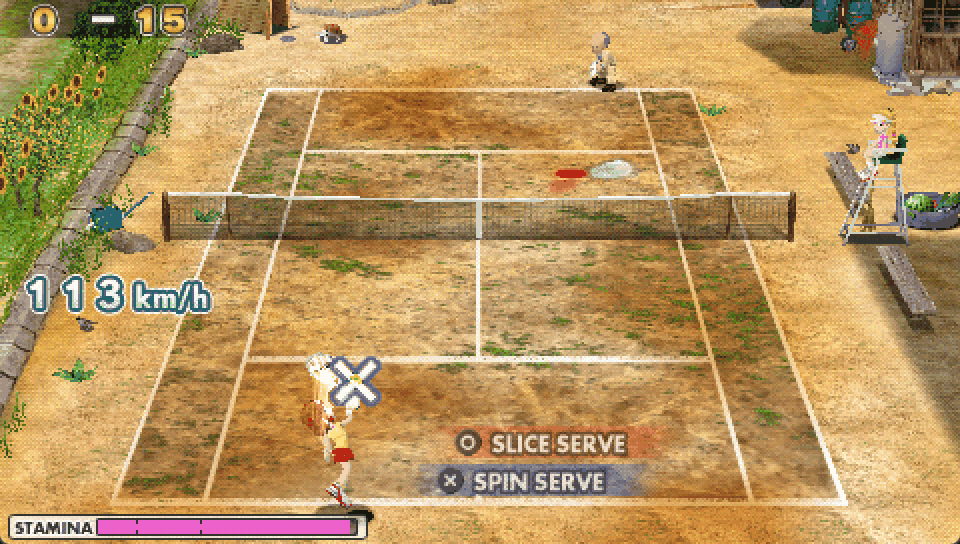
Jstar269's Nakagawa Recomp is a static recompiler for the PlayStation Portable: it translates a game's code into C once, before you play, and compiles it into a Windows program from your own disc. The first release, v0.0.1, is a single 285 MB zip that bundles the build tools, with a player app that takes you from dragging in an ISO to building and pressing play. It's early. Hot Shots Tennis: Get a Grip is playable, with full matches and Story Mode at 29.5 of the game's 30 frames per second on the reference PC. PAC-MAN Championship Edition reaches its menu and plays a stage, about a dozen more games start and get part of the way in, and the rest are untested. The recompiler already has a follower: the Patapon 3 port on our list was tuned from it.
You need: Windows 11 64-bit and your own copy of a PSP game, as an uncompressed ISO or the EBOOT.PBP of a PSN release of a UMD game. No game data is included.
How to play
- Download the v0.0.1 zip, extract it and start bin\nakagawa_player.exe.
- Drag in your own ISO, or choose START SETUP WIZARD.
- Press BUILD PACKAGE, then PLAY. A first build takes several minutes.
💬 Stuck setting it up? Ask the people who already got it running, in the gamerbrowser.com Discord. Join free →
▶ A new port every day on YouTube 20-second clips of the newest ports and mashups, running. Subscribe free →
▶ v0.0.1 releaseSource & README
Open the live wire: every AI mashup, decomp and PC port
💬 Join the gamerbrowser.com Discord ▶ Subscribe on YouTube Follow @GamerBrowserx on X