ZELDA: TEARS OF THE KINGDOM GETS AN UNOFFICIAL NATIVE WINDOWS PORT, NO EMULATOR
UltraTears: Zelda: Tears of the Kingdom statically recompiled into a native Windows program
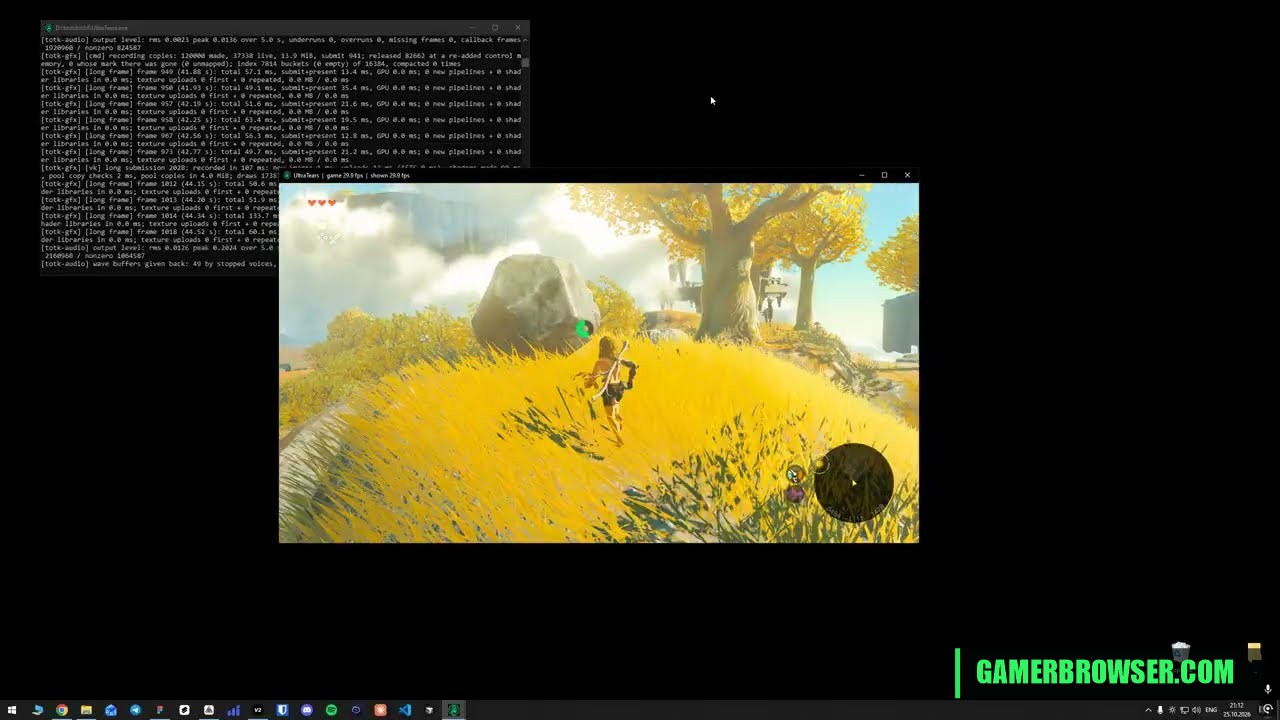
kuraeow's UltraTears is an unofficial native PC port of The Legend of Zelda: Tears of the Kingdom (Switch, version 1.4.3) for Windows. It is not an emulator: the game's ARM64 code is translated ahead of time to C and compiled for x86-64, and the Switch's system services and NVN graphics API are replaced with the port's own Windows and Vulkan code. Shaders and textures are converted for PC graphics cards when you build, not while you play. The first public build, v0.1.0-beta, landed on 25 October. It is early: the creator reports the title screen, a new game, the prologue and Great Sky Island playing on an RTX 3060 at the game's own 30 fps, with hitches while new shaders compile, no settings menu yet and Switch-style button layout. Steam Deck and Linux support is planned. There is no ready-made exe: a builder from the Releases page turns your own extracted game folders into UltraTears.exe on your PC (about 30 minutes on 8 cores, 32 GB free space and 16 GB of RAM). It follows OJZen's separate Tears of the Kingdom port for Apple silicon Macs and iPads, and the BotW-Native recompilation of Breath of the Wild for Windows.
You need: Your own copy of Tears of the Kingdom with update 1.4.3, extracted from your own Switch as plain exefs and romfs folders (encrypted NSP/XCI files don't work). Windows 10/11 x64 with an AVX2 CPU, a Vulkan 1.3 GPU, 16 GB of RAM and about 32 GB free. No game files, keys or links to them are included.
How to play The Legend of Zelda: Tears of the Kingdom on PC
- Download the UltraTears builder zip from the Releases page and extract all of it to its own folder.
- Put your own extracted exefs and romfs folders in its game folder (or drag that folder onto setup.bat) and run setup.bat until it says Done.
- Run UltraTears.exe and start a new game.
▶ v0.1.0-beta builderProject README
Get your copy
🛒 The Legend of Zelda: Tears of the Kingdom (Switch) · Amazon 🎮 Play it on a handheld PC · Amazon
This port needs your own copy of the game. We may earn a small commission if you buy through these links. It never changes what we cover.More Switch games you can play on PC
- Witch Time: Bayonetta 3 (Switch) statically recompiled for Windows and Linux, boots and plays at 60 fps
- Mushroom Maker Recomp: a second Super Mario Maker 2 native Windows recompilation
- Persona 5 Royal on Android: an unofficial native port runs your own Switch copy on a phone, no emulator
- MHGU Recomp: Monster Hunter Generations Ultimate goes native on PC
- Pokémon: Let's Go, Eevee! and Pikachu! (Switch) get a native Windows port, v0.7.2 out
- Breath of the Wild (Switch) statically recompiled to run natively on Android
See every console game you can play natively on PC →
Open the live wire: every AI mashup, decomp and PC port
💬 Join the gamerbrowser.com Discord Follow @GamerBrowserx on X